The Wetarded Smurf app is a free Windows app that puts the whole channel in one window. No browser tabs, no digging through the channel page: open it and the newest videos are right there.
Whether you’re here for Racing, Snowboarding, Xbox gaming or 4K walks around Phuket and Bangkok, it’s all one click away.
What the Wetarded Smurf app does
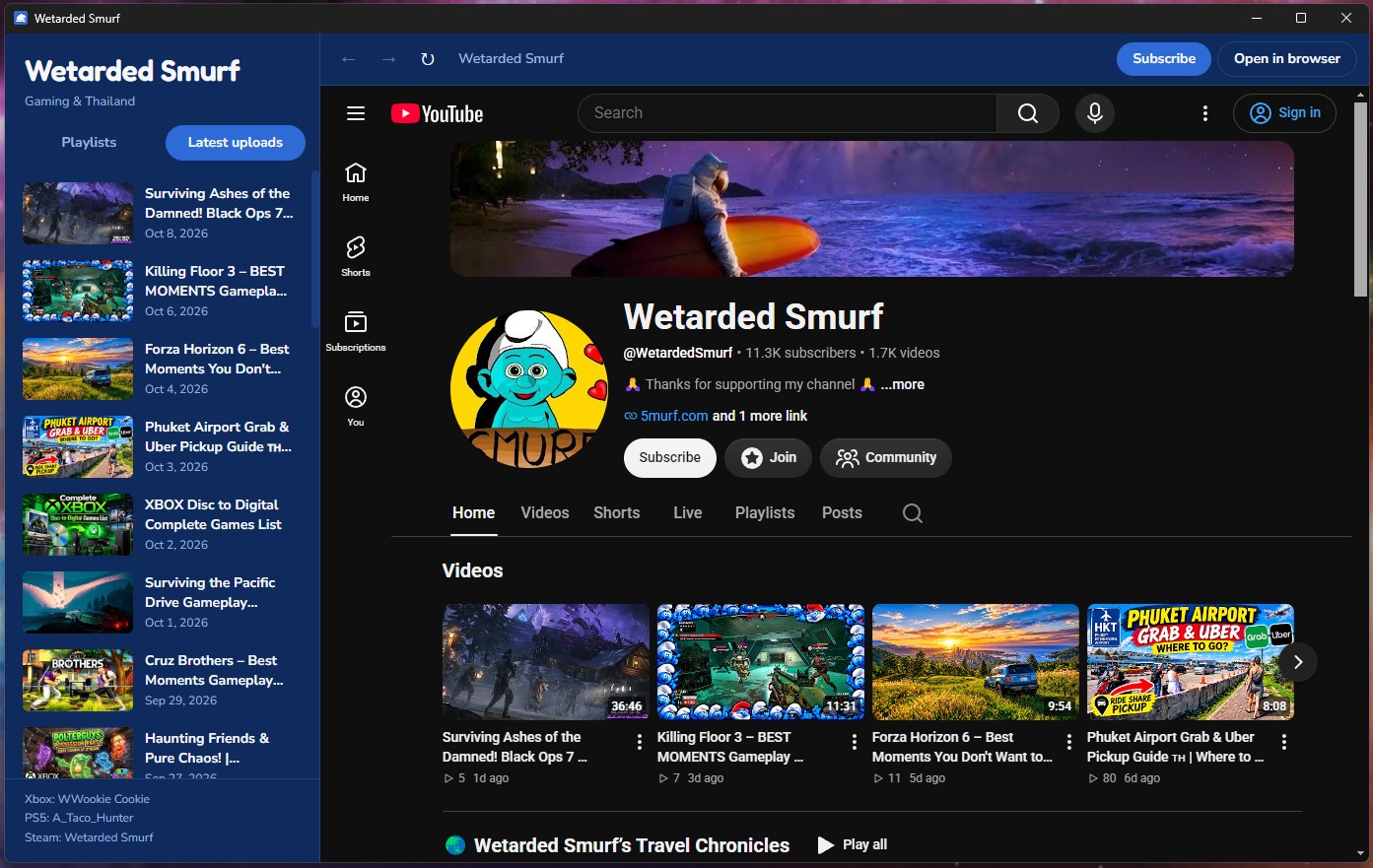
- Latest uploads first. The app opens on the 30 most recent videos, newest at the top, with thumbnails and dates.
- Every playlist in the sidebar. Switch to the Playlists tab to browse them all. New playlists show up on their own, so you never need to update the app for them.
- The full YouTube player. Videos play in the real YouTube player, so quality settings, captions, comments and autoplay all work as normal.
- Stay signed in. Sign in to YouTube once and the app remembers you, so you can like, comment and subscribe from inside it.
- One-click subscribe. The Subscribe button in the toolbar takes you straight to the subscribe prompt.
- Add me in game. My Xbox, PS5 and Steam gamertags are at the bottom of the sidebar.
How to download and install it
The app is portable, so there’s no installer. Download it, unzip it and double-click WetardedSmurf.exe.
[Download the Wetarded Smurf app for Windows]
You’ll need Windows 10 or 11 (64-bit) and an internet connection.

“Windows protected your PC”? Here’s why
The first time you run it, Windows SmartScreen may show a blue “Windows protected your PC” box. That happens with any new app that isn’t digitally signed yet; it doesn’t mean anything is wrong with the file.
To run it, click More info, then Run anyway. To stop the warning coming back, right-click WetardedSmurf.exe, choose Properties, tick Unblock at the bottom of the General tab and click OK.
I’m working on getting the app into the Microsoft Store, which will remove the warning completely and update the app automatically.
Frequently asked questions
Is the Wetarded Smurf app free? Yes, it’s completely free.
Does it collect any data? No. The app itself doesn’t collect or send any data. If you sign in to YouTube inside it, YouTube’s own privacy policy applies, just like in your browser.
Does it work on Mac or phones? Not right now. It’s Windows only. On a phone, the YouTube app is still the best way to watch.
Is this an official YouTube app? No. It’s my own app for the Wetarded Smurf channel, and it isn’t affiliated with or endorsed by YouTube or Google.
Grab it and come hang out
Download the Wetarded Smurf app, hit Subscribe, and drop a comment on the latest video to tell me what you’d like added next. See you in the next one.
5mURF